
See one first
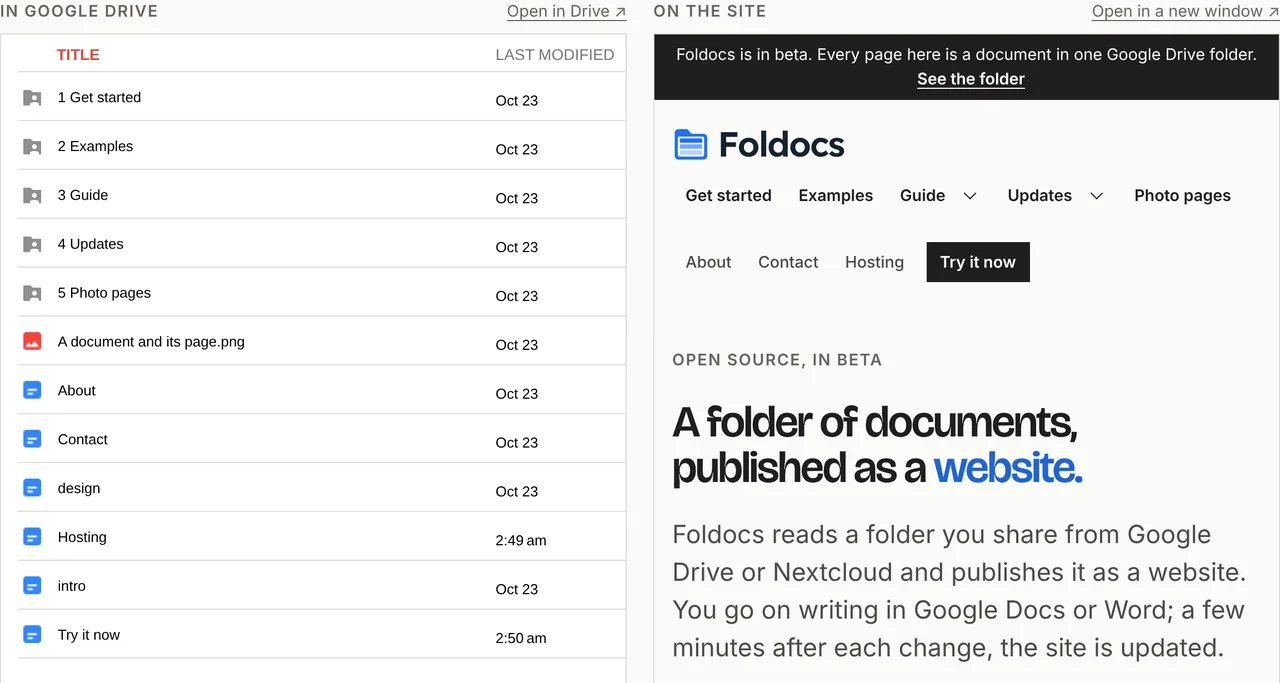
foldocs.com is a Foldocs site: see it beside its folder. graus.foldocs.page is too, a static copy of graus.nu (a WordPress site), made from this public Google Drive folder.
How it works
Share the folder
Google Drive: Anyone with the link, as Viewer. Nextcloud: a read-only share link.
Paste its link
No account, nothing to install: Foldocs reads the folder with its own key.
Look at your site
About a minute later it is at an address of its own. Change a document, then press Update from the folder on your preview's page.
What becomes what
| In your folder | On your site |
|---|---|
| intro | The top of your home page |
| About | A page in the menu, at /about/ |
| 1 Work/ | A section, at /work/ |
| 01 First project | A page in it |
| Earthrise.jpg | A photo with a page of its own |
| design | The site's colors and fonts |
Only intro and design are special names, in upper or lower case: any other document at the top is a page in the menu, as About is.